Setup Guide
Takes about 2 minutes
Install & Setup Walkthrough
Watch the full install flow from HubSpot Marketplace to configured snapshots
On This Page
Install from HubSpot Marketplace
Click the button below to install Safe Merge. You'll be taken to HubSpot's OAuth flow where you can select your account.
Install Safe MergeFree plan starts immediately. No credit card required.
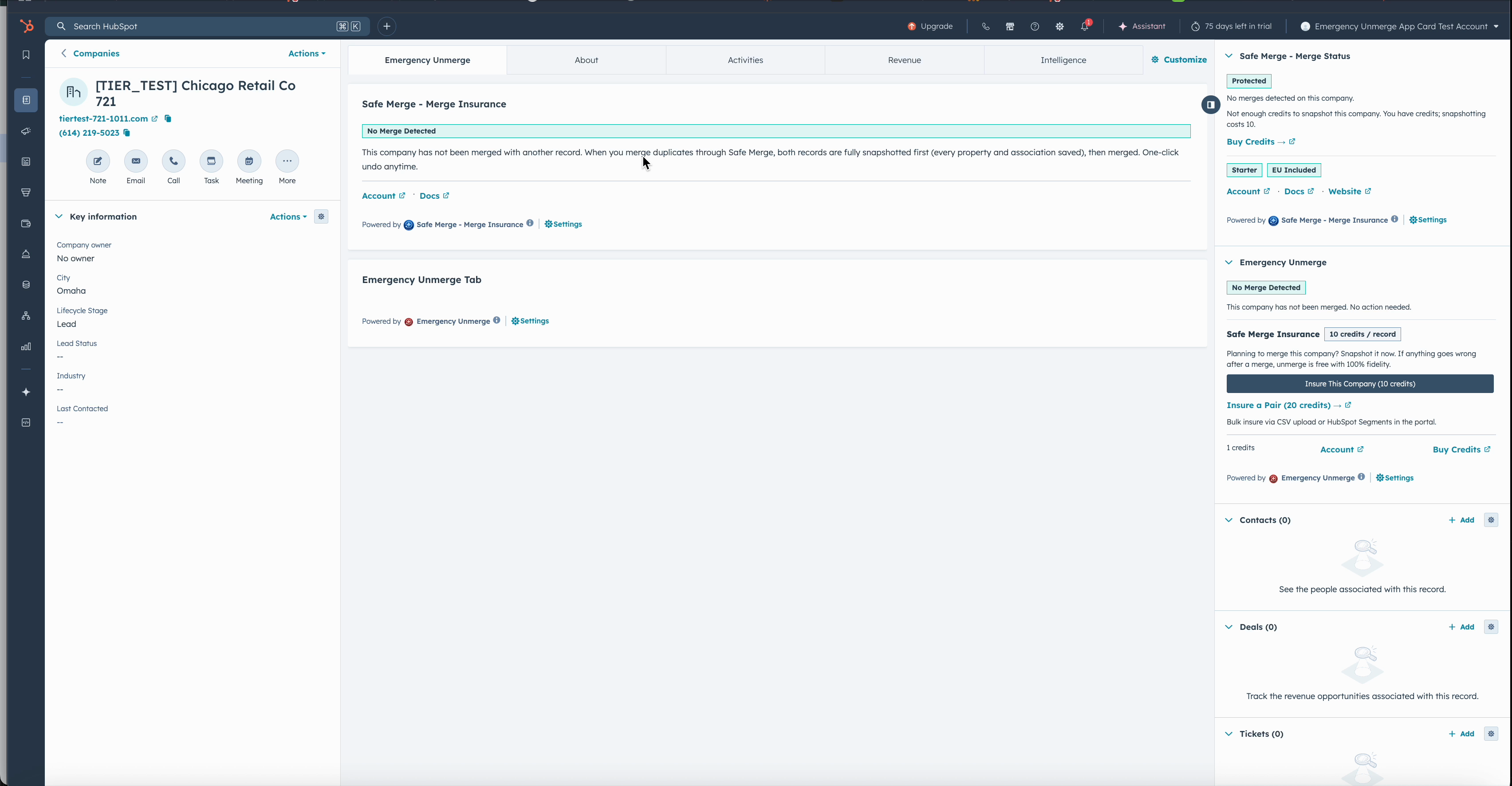
Once installed, the Safe Merge sidebar card appears on every contact, company, and deal record.
Approve Permissions
Safe Merge requests the following HubSpot scopes:
- - Read and write contacts, companies, and deals
- - Read and write schemas (for property management)
- - OAuth authentication
Why these permissions? Read access is needed to take snapshots. Write access is needed to perform unmerges (restoring the original record). Schema access is used to understand your custom properties.
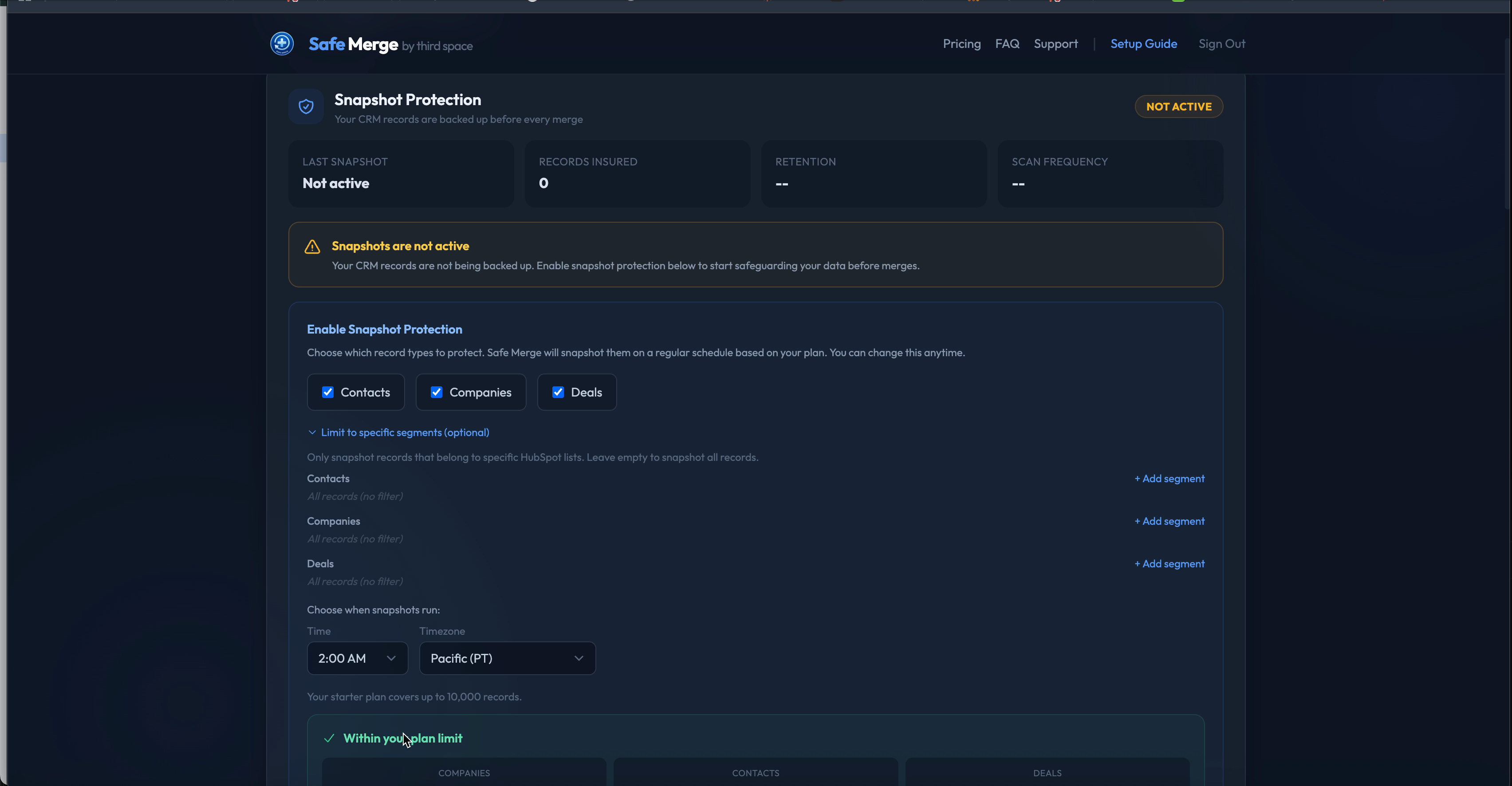
After approving permissions, configure which object types to snapshot and how often.
Automatic Protection Begins
Once installed, Safe Merge automatically begins protecting your CRM:
- ✓ Your first snapshot runs on the next scheduled scan
- ✓ Duplicate detection identifies potential matches
- ✓ One-click undo is available for any snapshotted record
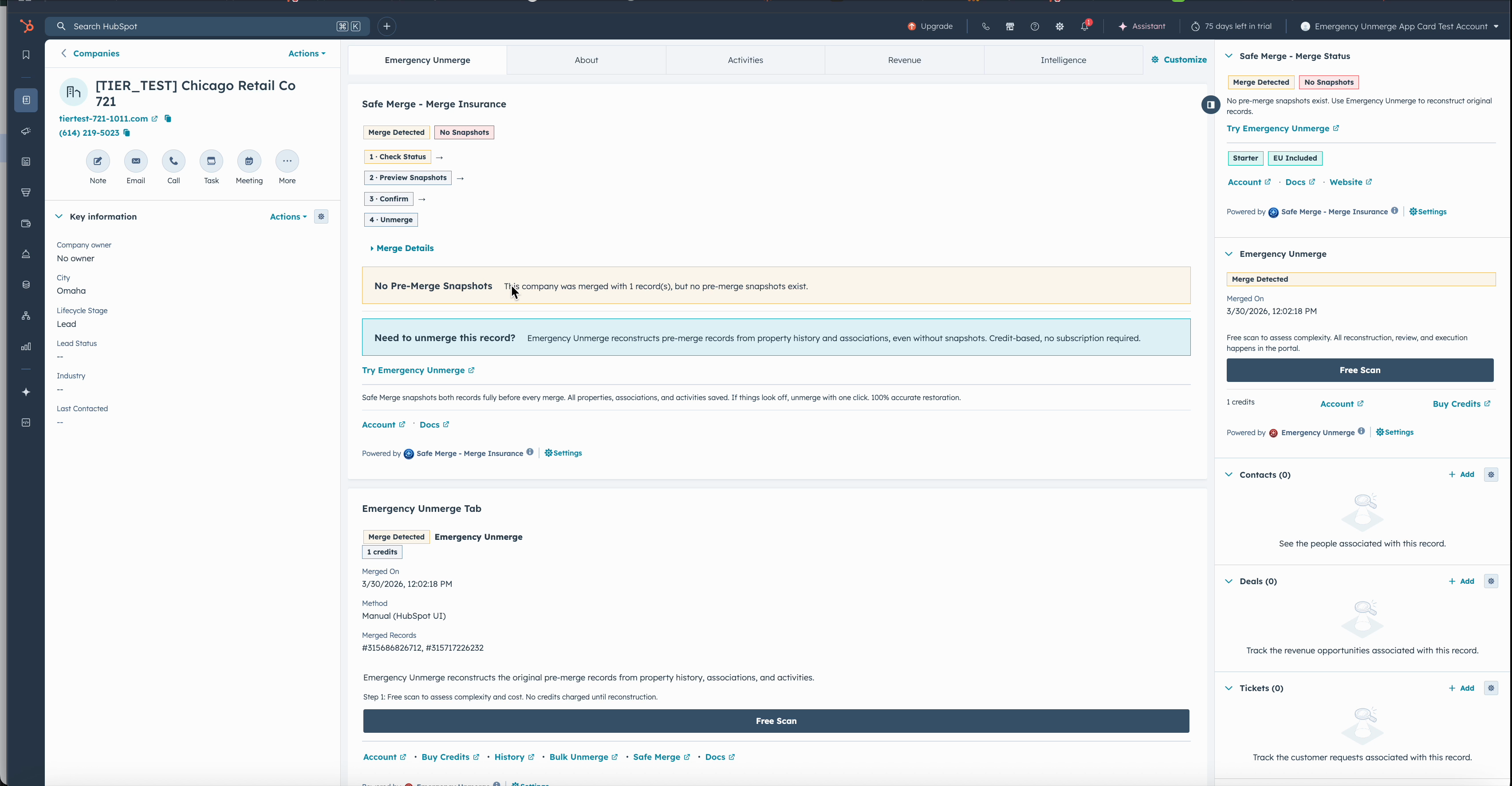
When a merge is detected, the Safe Merge card shows one-click unmerge options directly on the record.
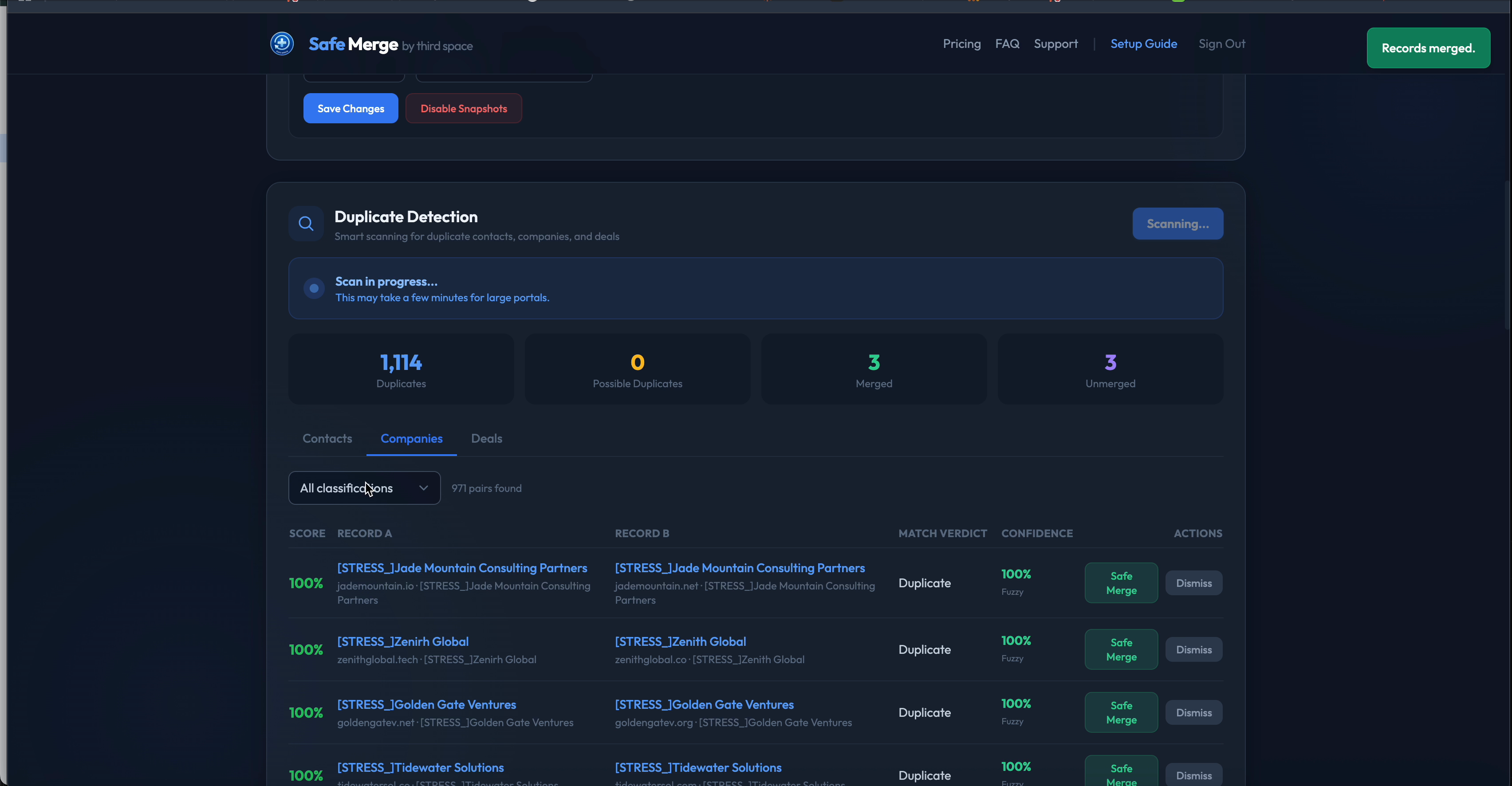
The duplicate detection dashboard identifies potential matches across your CRM with confidence scoring.
View your snapshot history and manage your plan at safemerge.app/account.
Upgrade for More Protection
The Free plan covers 2,000 records with monthly snapshots. Need more? Upgrade from your account dashboard:
- - Starter ($29/mo): 10,000 records, weekly scans
- - Growth ($79/mo): 50,000 records, advanced dedup with web search
- - Pro ($179/mo): 250,000 records, daily scans
- - Enterprise ($349/mo): 1,000,000 records, 365-day retention
All paid plans include unlimited snapshot unmerges and Emergency Unmerge operations included monthly (10 on Starter, 25 on Growth, 50 on Pro, unlimited on Enterprise). See full pricing.
Demo Videos
Watch Safe Merge in action, from install to CRM cards and workflow automation.
Demo 1: Full Portal Walkthrough
Complete tour of Safe Merge features across your HubSpot portal
Demo 2: Install & Setup
Step-by-step install from HubSpot Marketplace to configured snapshot protection
Demo 3: CRM Cards & Workflow
How CRM sidebar cards, workflow actions, and automated snapshots work together
Disconnecting & Uninstalling
To disconnect Safe Merge from your HubSpot account:
- Go to HubSpot Settings > Integrations > Connected Apps
- Find Safe Merge and click Uninstall
Uninstalling removes Safe Merge's access to your CRM. Your existing snapshots remain available for the retention period of your plan.
Need Help?
Email us at joshua@thirdspaced.com or visit our support page. We typically respond within 24 hours on business days.